


|
| |
|
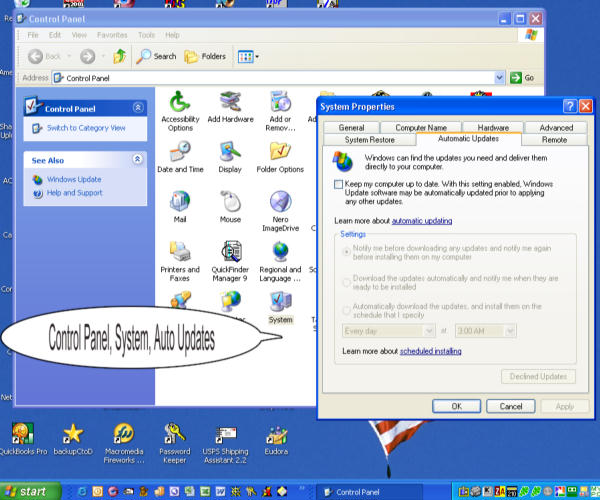
How to Turn OFF Windows XP Auto Update by Cathy Margolin, reviews@netsurfernews.com If you do not want to install the Microsoft Patches until you control them, there is a way to do it. Here is how to do it: Click on the Start button, click on Control Panel, then System, then there is an Automatic Update Tab. Click the box OFF- "Keep my computer up to date" to turn OFF the automatic Update Feature.
|
|
Contact Information:Net Surfer News
|
![[Dividing Line Image]](../images/div.gif)